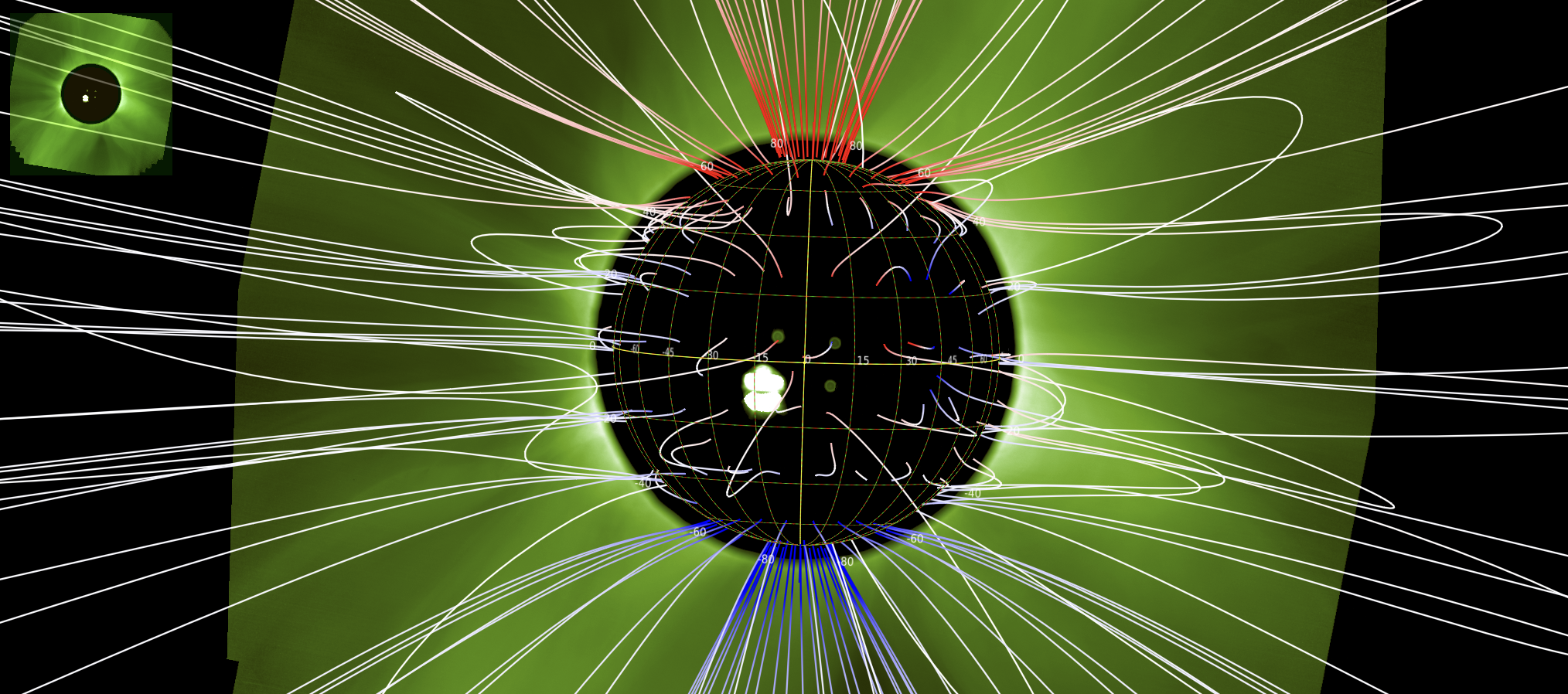
Exporting COCONUT Field Lines to JHelioviewer
coconut_tools.visualization_3d.coconut_to_jhv converts a COCONUT/COOLFluid .vtu or .CFmesh file
into a SunJSON file containing magnetic-field lines for JHelioviewer.
The script:
Reads the COCONUT mesh and its Cartesian magnetic-field components.
Traces magnetic-field streamlines from a spherical seed grid.
Optionally creates a PyVista preview.
Exports the field lines in SunJSON coordinates:
[radius, Carrington longitude, Carrington latitude].
The mesh coordinates are assumed to be in solar radii, with the x-y plane
as the solar equatorial plane and z pointing toward solar north.
Command-line use
Basic export:
python -m coconut_tools.visualization_3d.coconut_to_jhv corona.CFmesh fieldlines.json
Export with a screenshot and progress bars:
python -m coconut_tools.visualization_3d.coconut_to_jhv corona.CFmesh fieldlines.json --screenshot preview.png --progress
Color the field lines by the radial magnetic field, Br:
python -m coconut_tools.visualization_3d.coconut_to_jhv corona.CFmesh fieldlines.json \
  --screenshot preview.png \
  --progress \
  --color-by br
The screenshot and SunJSON export use the same blue-white-red colormap.
Its limits are symmetric and set to [-2 std(Br), +2 std(Br)] using the
interpolated field-line values in gauss.
Longitude orientation can be adjusted when required:
python -m coconut_tools.visualization_3d.coconut_to_jhv input.vtu fieldlines.json \
  --longitude-offset-deg 180 \
  --flip-longitude
The default seed count is 200. Use --n-seed-points to change it.
Python use
from coconut_tools.visualization_3d.coconut_to_jhv import export_to_jhv_json

export_to_jhv_json(
    input_file="corona.CFmesh",
    output_json="fieldlines.json",
    screenshot="preview.png",
    use_tqdm=True,
    color_by="br",
)
Open in JHelioviewer
Start JHelioviewer.
Drag and drop
fieldlines.jsoninto the JHelioviewer window.In the layer list, enable the checkbox for the Connection layer.
The exported magnetic-field lines should then appear in the 3D view.