COCONUT Reader: Post-processing and Visualization
This module provides tools to read, analyze, and visualize COCONUT simulation outputs.
It combines:
extraction of boundary data from CFmesh files
generation of 2D maps from .dat files
2D/3D visualization from VTU files using PyVista
diagnostic tools for boundary conditions
The main entry point is the function:
import coconut_tools.visualization_3d.reader as rc
rc.run_coconut_reader(...)
Notes and Recommendations
Always merge VTU files before using the reader:
from coconut_tools.postprocessing import group_vtu_files

group_vtu_files.merge_all_snapshots(
    input_dir="./",
    output_dir="./vtu/",
    start_time=0,
    timestep=1,
    nbmax=1,
    stat=True,
    nb_proc=72,
    remove=False
)
currently set for stationnary run, .. code-block:: python
start_time=?, timeste=?, nbmax=?, stat=False,
should be adapted otherwise,
nb_procshould match the number of MPI processes used.Avoid
remove=Trueunless intermediate files can be deleted.
Overview of Features
The module implements a complete post-processing pipeline:
Extract spherical boundaries from CFmesh
Generate .dat files and 2D maps
Produce PyVista slice visualizations from VTU
Perform diagnostics on inner and outer boundaries
Provide quick visualization utilities
Outputs are written to:
dat/: extracted boundary dataplots/: generated figures
Main Pipeline: run_coconut_reader
The function run_coconut_reader runs the full workflow.
import coconut_tools.visualization_3d.reader as rc

rc.run_coconut_reader(
    cfmesh_name="corona.CFmesh",
    vtu_relpath="vtu/corona-mhd_0000.vtu",
    radii=(5.0, 10.0),
    inner_bc_check=True,
    outer_bc_check=True,
    AlfvSurf=True
)
Key steps performed:
Extract boundaries at given radii
Generate .dat files (if not already present)
Produce 2D surface plots
Generate PyVista slices
Optionally compute Alfvén surface visualization
Note
Existing .dat files are not recomputed, ensuring efficiency.
Boundary Extraction and 2D Maps
For each radius:
Data are extracted from the CFmesh
Saved as
Rsun.datPlotted as 2D maps (longitude vs colatitude)
These plots include:
density
temperature
magnetic field
pressure
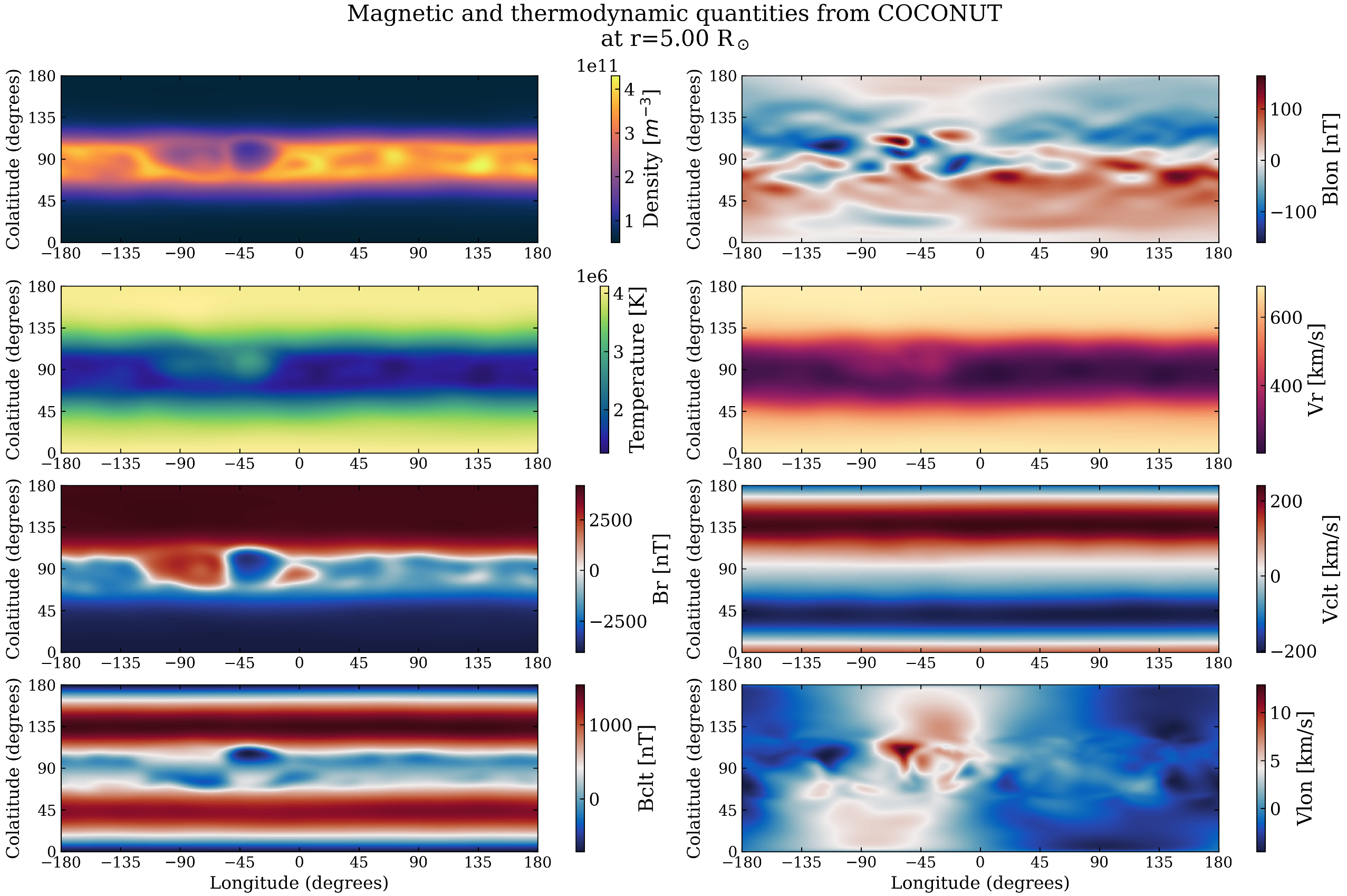
Example of 2D surface maps generated from CFmesh data.
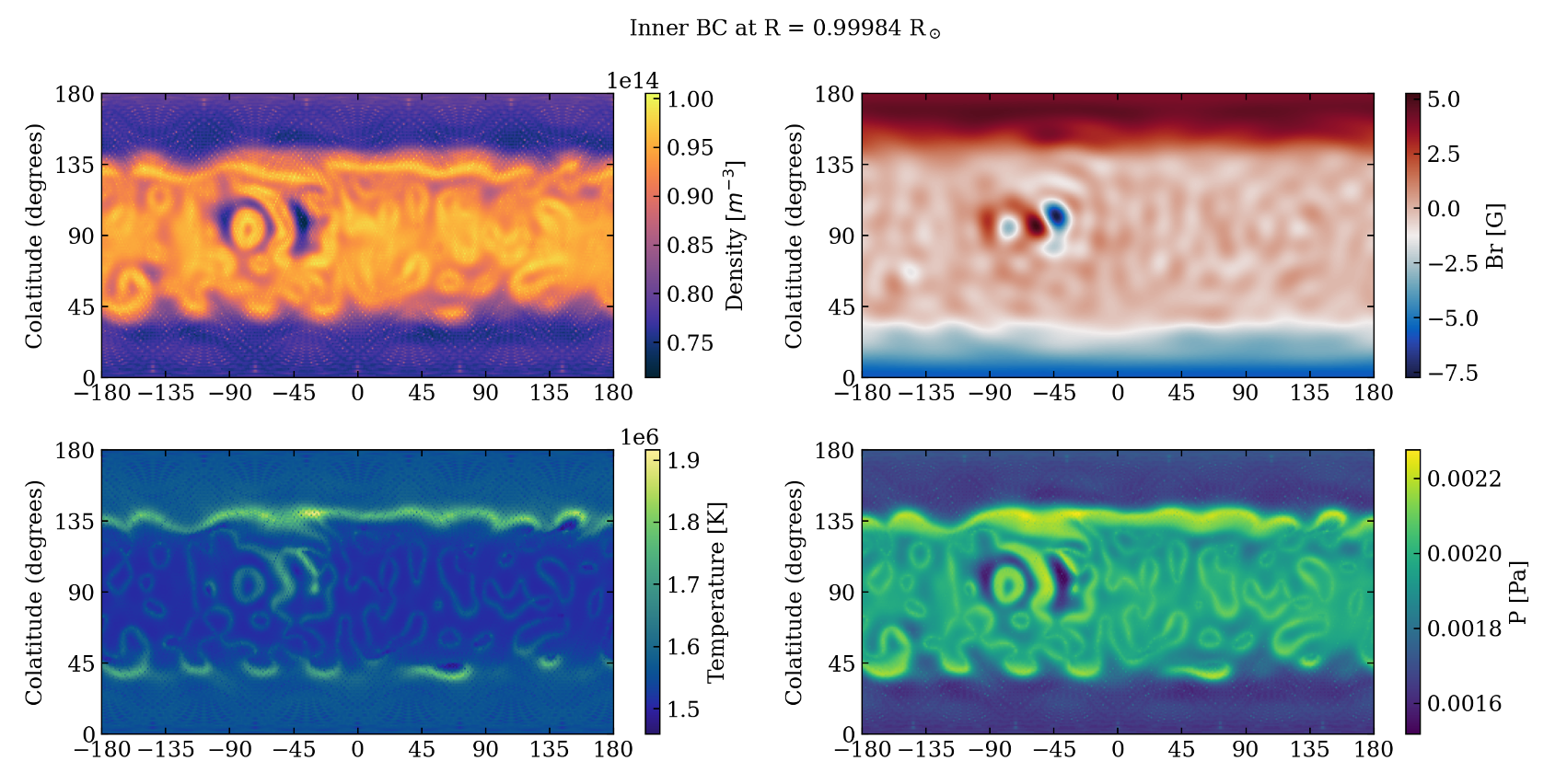
Boundary Condition Diagnostics
Two diagnostic tools are available:
inner_bc_checkouter_bc_check
They evaluate physical consistency of the simulation.
Inner boundary plots include:
density
temperature
radial magnetic field
pressure
Outer boundary plots include:
sound speed
Alfvén speed
Mach number
Alfvénic Mach number
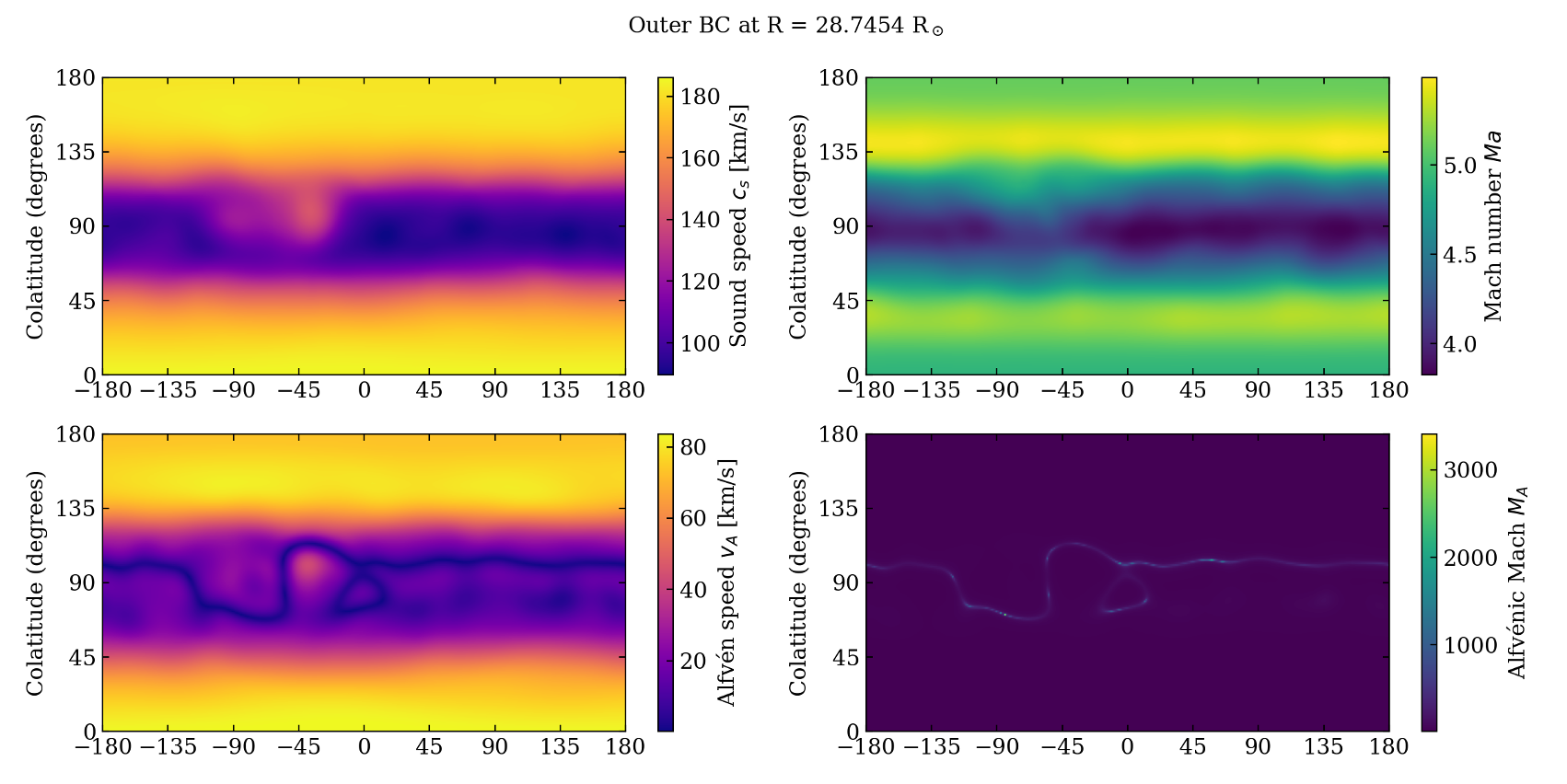
Inner and outer boundary diagnostics.
PyVista Visualization
The module uses PyVista to visualize VTU data.
Pipeline:
Read mesh
Convert units
Convert to spherical coordinates
Generate slices or 3D views
Example slice:
rc.run_coconut_reader(
    vtu_relpath="vtu/corona-mhd_0000.vtu"
)
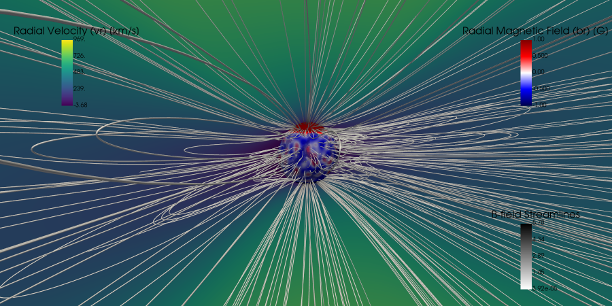
Example PyVista slice visualization.
Alfvén Surface Visualization
Enable with:
rc.run_coconut_reader(..., AlfvSurf=True)
This produces:
density slice
Alfvén surface
optional iso-contours
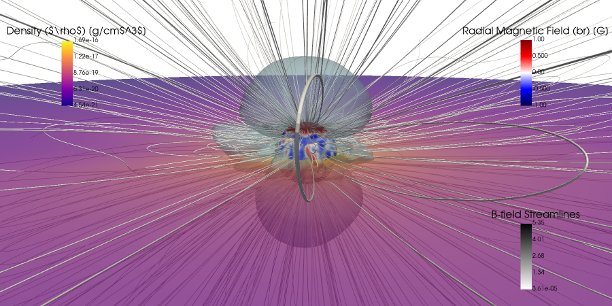
Alfvén surface visualization.
Quick Visualization Tools
Quick_Vr_Viewer
Provides a fast 2D disk visualization (Tecplot-like).
rc.Quick_Vr_Viewer(
    vtu_relpath="vtu/corona-mhd_0000.vtu",
    plane="y",
    cam_dist=150.
)
Features:
selectable plane (x, y, z, or longitude)
field selection (e.g. vr, br, density)
optional magnetic field lines
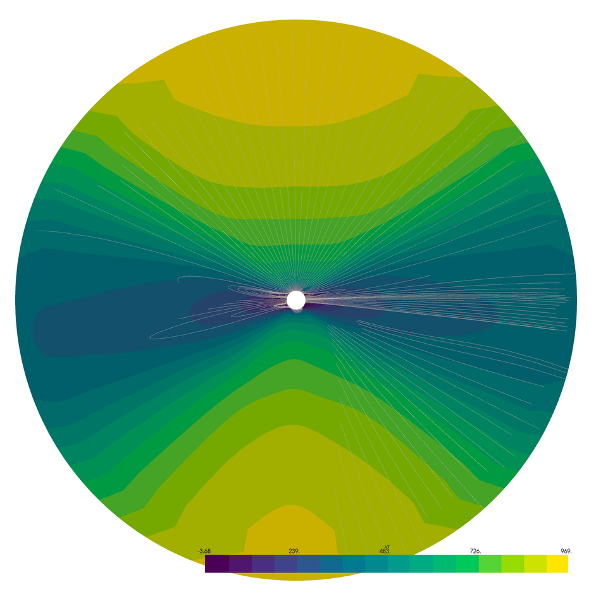
Example of Quick_Vr_Viewer output.
Quick_Ra_viewer
Produces a fast 3D visualization including:
density slices
magnetic topology
Alfvén surface
iso-contours of velocity
rc.Quick_Ra_viewer(
    vtu_relpath="vtu/corona-mhd_0000.vtu",
    volumic_vr=500.
)
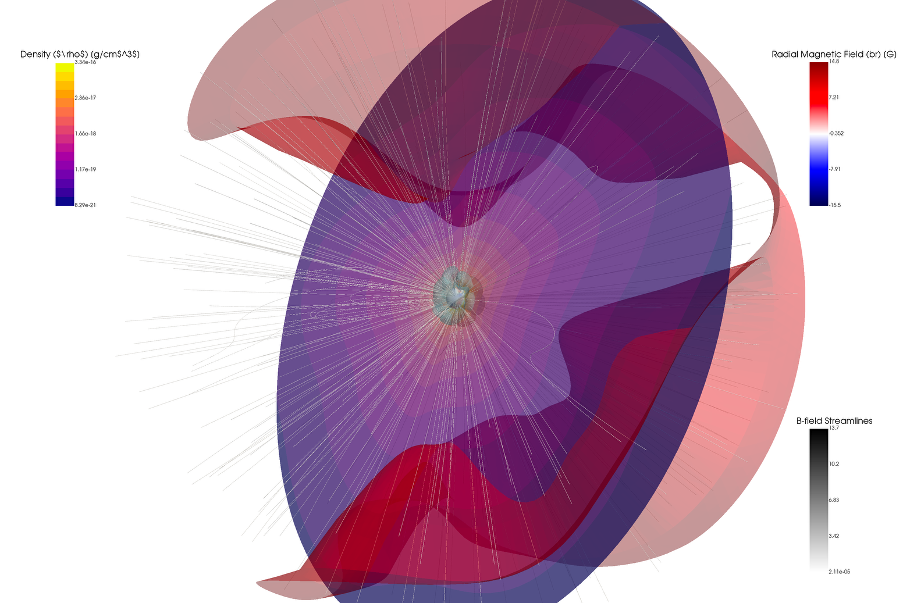
Example 3D visualization.
Spherical Surface Visualization
Plot scalar quantities on a spherical surface at a given radius.
rc.visualize_spherical_surface_from_vtu(
    vtu_path="vtu/corona-mhd_0000.vtu",
    r_surf=2.5,
    field="vr",
    view="iso"
)
Options:
camera view (x, y, z, iso)
Carrington grid overlay
customizable resolution
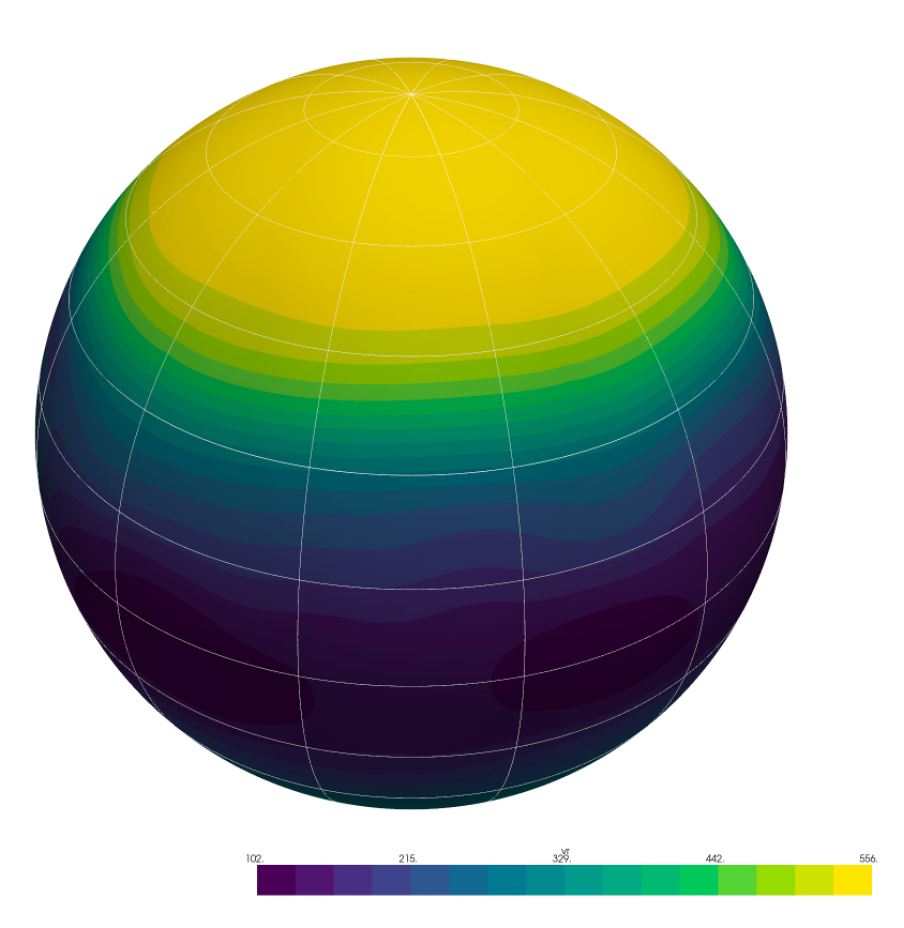
Spherical surface visualization.
Y-plane Disk Visualization
Function:
rc.visualize_yplane_disk(mesh, field="vr")
Features:
full-disk projection
field line tracing
customizable seeding and integration
This provides a centered disk view similar to solar observations.
Data Flow Summary
The processing workflow is:
CFmesh  --->  .dat files  --->  2D surface plots
   |
   +---> VTU ---> PyVista ---> 2D/3D visualizations
Documentation and Help
Each function is documented via docstrings.
In IPython:
rc.run_coconut_reader?
rc.Quick_Vr_Viewer?
Source code documentation is available in:
src/coconut_tools/visualization_3d/*.py
contact: Q. Noraz